
Treatment planning
MediPlan
Treatment plans that are checked before anyone approves them.
MediPlan is a self-hosted panel. The dentist records the diagnosis on a tooth chart, builds the treatment plan and sends it for approval. Clinical checks show what does not fit the patient's present state before anything is sent. The approved plan becomes a PDF report that the patient can read in their own language.
What it does
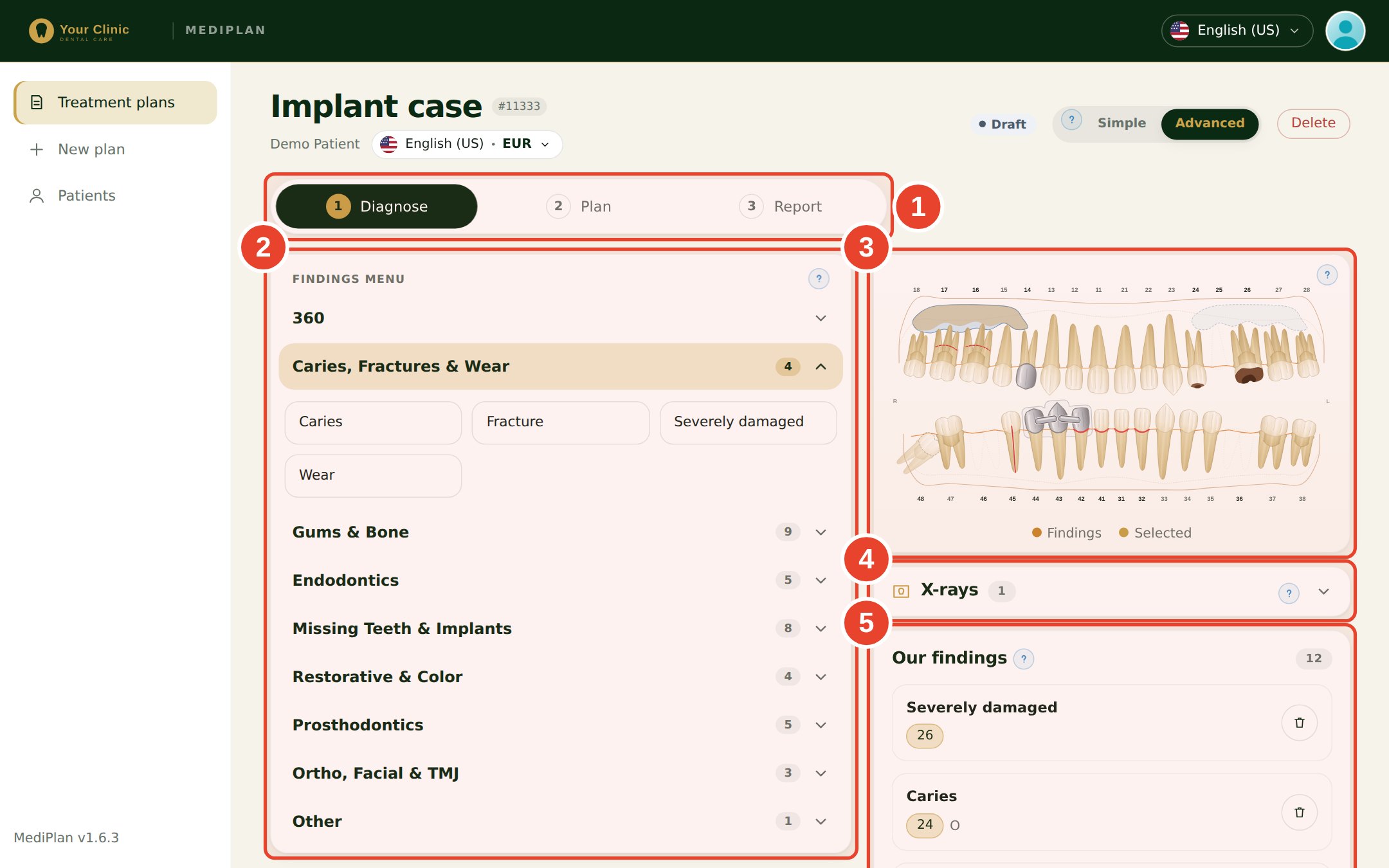
Diagnosis on a tooth chart
Record caries, fractures, wear, gums and bone, missing teeth, previous treatment and X-rays on one chart. The sinus height is recorded for each side.
A plan builder with a treatment menu
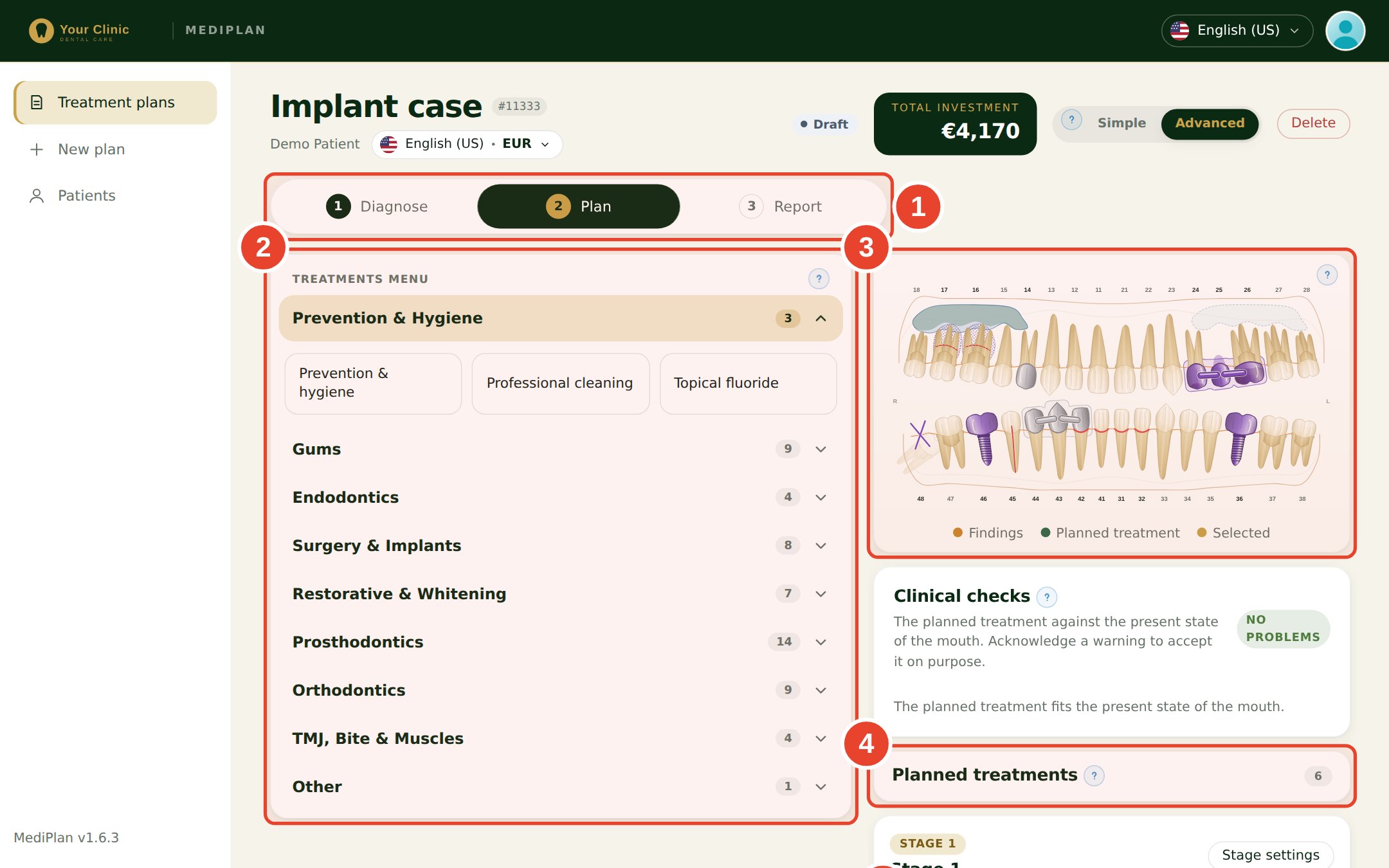
Choose treatments by specialty: implants with the brand and size, crowns, bridges, veneers and extractions. Put all the crowns of an arch in one step, or add a temporary fixed tooth for the first visit.
Clinical checks before approval
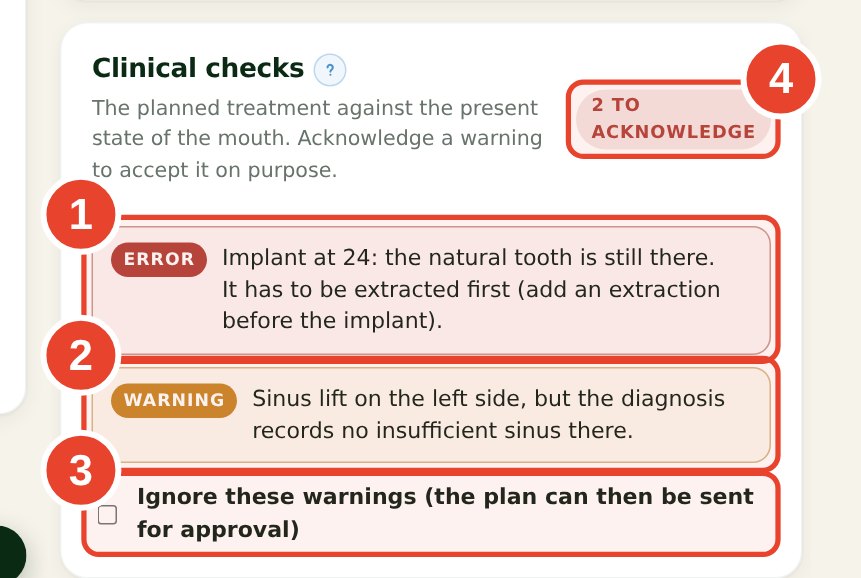
The plan is compared with the present state of the mouth. An error blocks the plan. A warning must be acknowledged on purpose, and the acknowledgement is recorded with a note.
Price lists and totals
Prices come from the clinic's price list for each brand. A price can be typed by hand when the person has permission. Totals are split by visit, can include a discount, and can be shown in another currency.
Approval with a clear trail
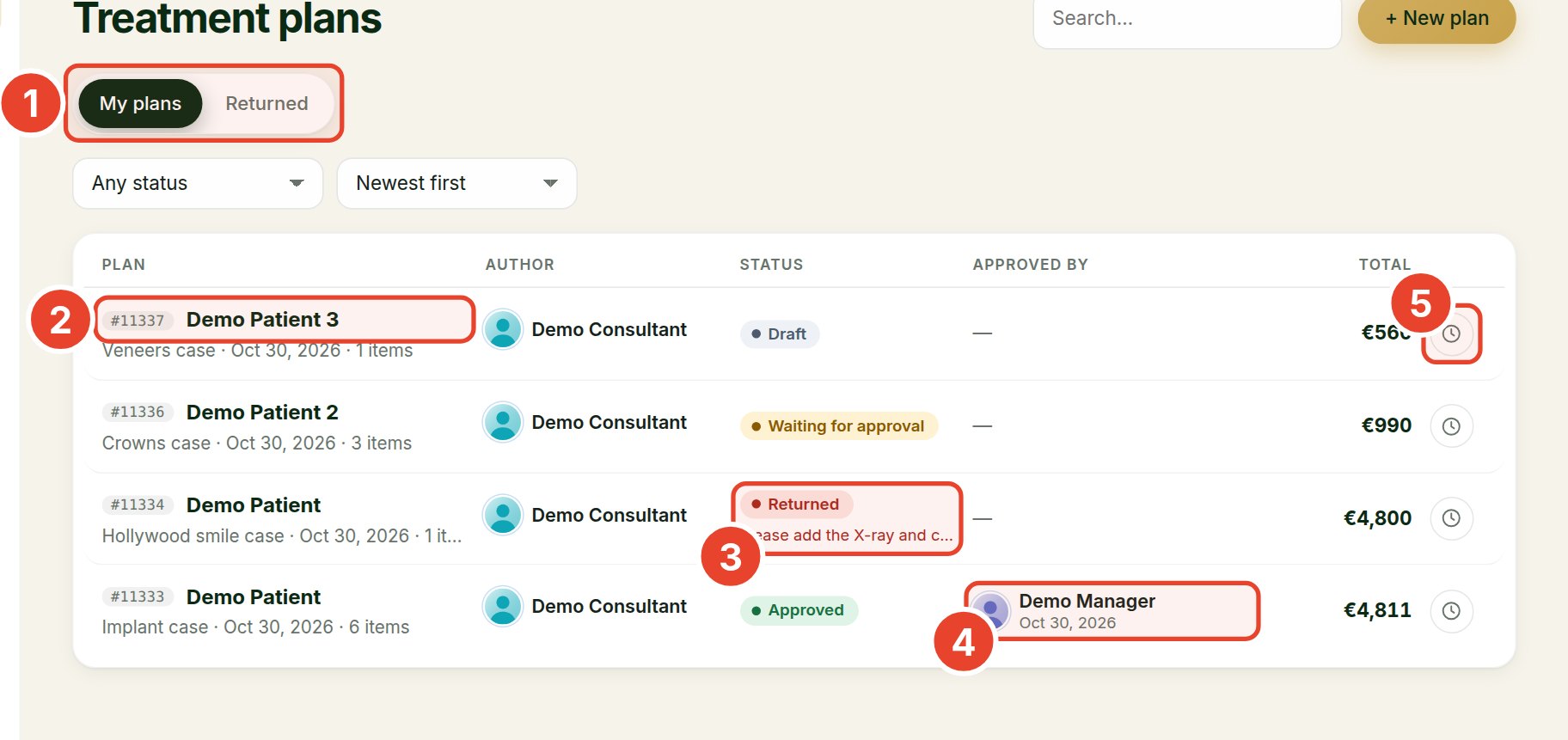
A plan goes from draft to waiting for approval, then to approved, or back with a note. An approved plan is locked until it is reopened, and every change is kept in the history.
The patient report
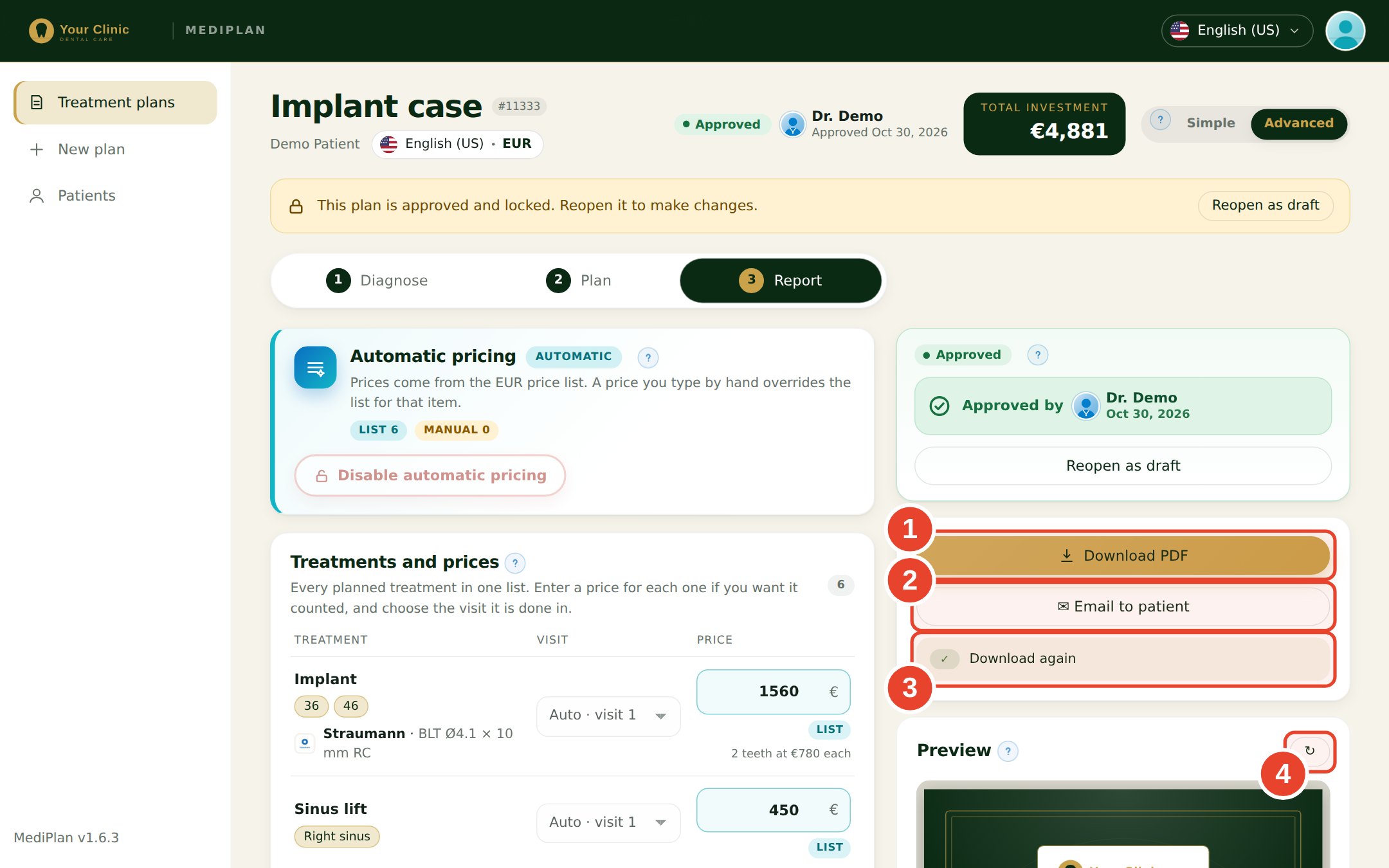
The approved plan becomes a PDF in the patient's language, with the clinic's branding. Download it, or send it to the patient by email.
Roles for the whole team
Admin, manager, doctor and consultant roles. The admin sets the permissions for each person, and what each person can see.
Telegram notifications
Staff can link their Telegram account to get notified about plans that need their attention.
On the screen
How it moves
- 01
Diagnose
Record the findings, the X-rays and the sinus on the chart.
- 02
Plan
Build the treatment, run the clinical checks, and acknowledge the warnings you accept.
- 03
Report
Send the plan for approval. When it is approved, share the PDF with the patient.
Made for
- Dental clinics and their dentists
- Consultants who prepare plans for patients
- Managers who approve plans and set prices