
Patient enquiries and sales
MediCRM
Every patient enquiry becomes a lead, and every lead is followed up.
MediCRM brings enquiries from WhatsApp, Telegram, Messenger, Instagram, Facebook Lead Ads and the clinic's own web forms into one place. Each enquiry becomes a lead in a pipeline. Bots copy the answers into the lead, assign it to the right person and send the approved messages. Reports show how quickly the team replies.
What it does
One inbox for every channel
WhatsApp Business, Telegram, Messenger and Instagram conversations in one inbox. Replies follow each platform's rules, including the 24-hour window on WhatsApp.
Leads from ads and forms
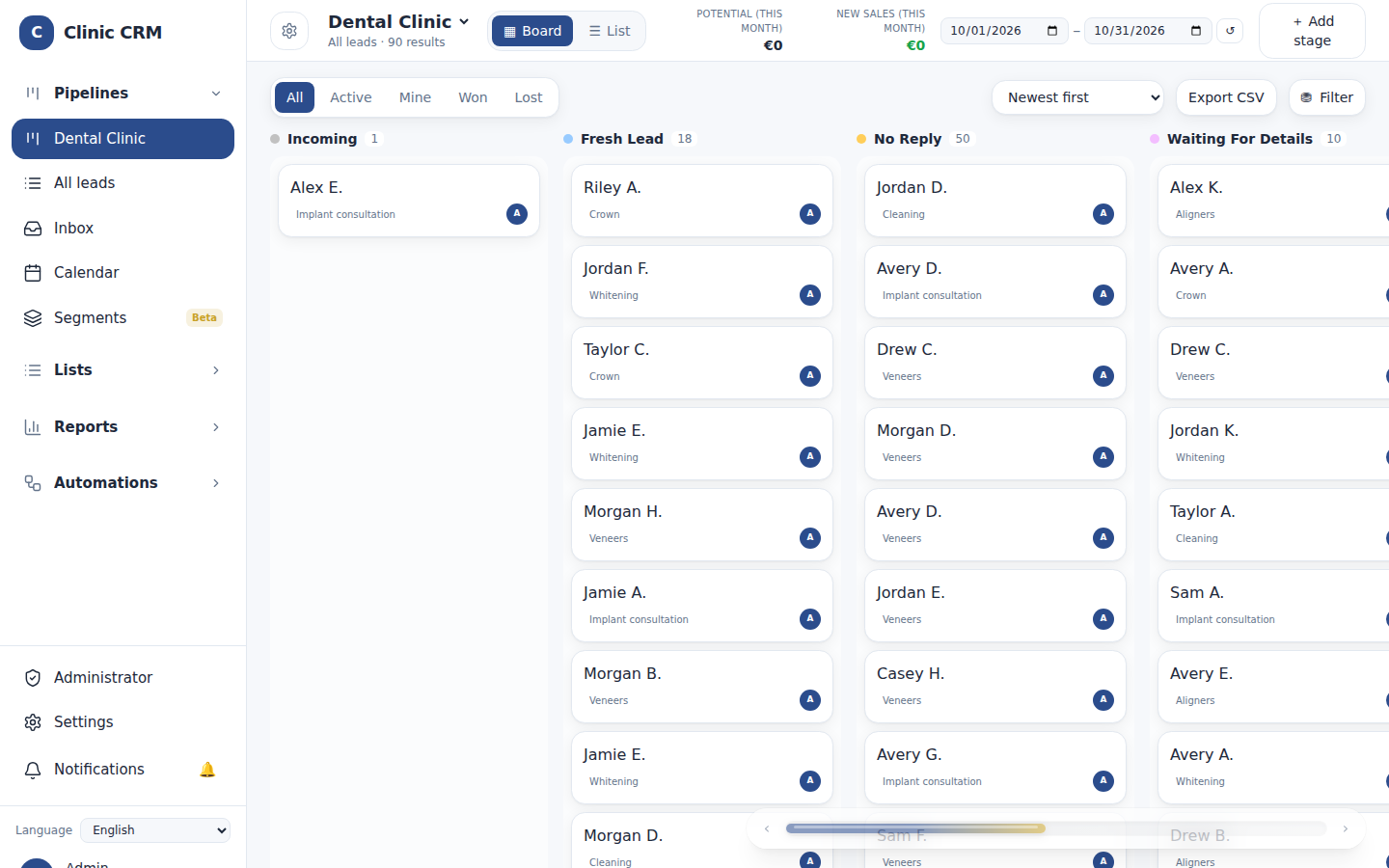
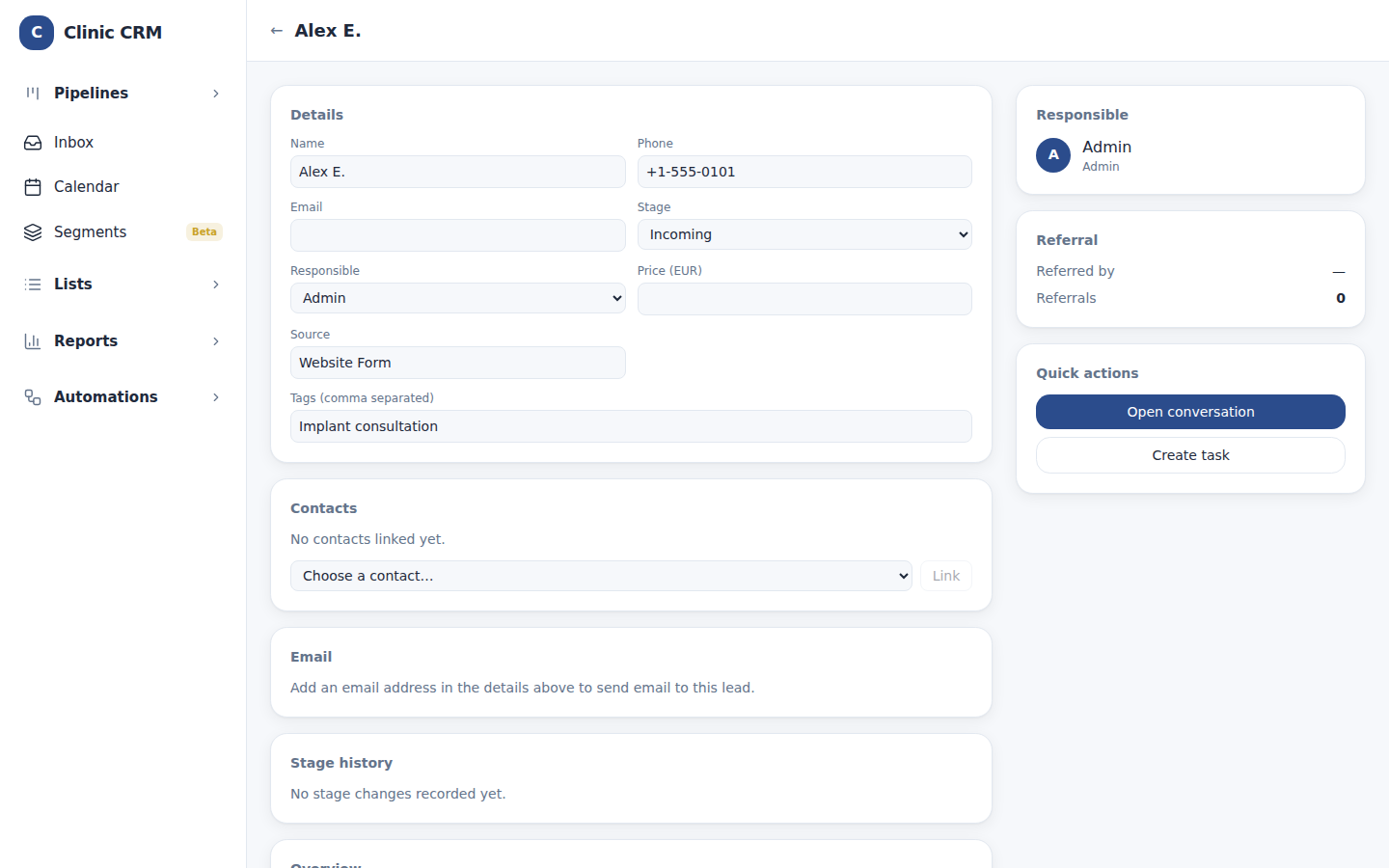
Facebook Lead Ads and website forms create a lead in the first stage. The source stays with the lead, and each ad submission is stored once.
Pipelines and stages
Each pipeline has its own stages. Move leads across the board, filter them, and start from the dental clinic template, which you can edit.
Bots for every stage
When a lead enters a stage, a bot can copy an answer into a field, assign the owner (round robin or a chosen person), send an approved WhatsApp template or a saved email, create a task, or add a tag.
Templates, email and broadcasts
WhatsApp templates approved in Meta, email templates with placeholders, and email from the lead card with every send logged. Saved segments can receive a broadcast.
Reports that show response time
Leads by day, by owner, by country, by source and by stage. Each owner's first response is measured against the target you set.
Team, access and packages
Access levels built on roles, user types for each team, and package limits for leads, users, channels and pipelines.
Sign in with an email code
Staff sign in with a one-time code sent to their email. An authenticator app can be added as a second step.
On the screen
How it moves
- 01
An enquiry arrives
A message, a form or an ad creates a lead in the first stage.
- 02
Bots act
The answers are copied into the lead, and the lead goes to the right person.
- 03
The team follows up
Replies, templates and emails are sent from the lead, and every step is logged.
- 04
Reports show the result
See how quickly each person replied, and which sources bring patients.
Made for
- Clinic managers who need every enquiry answered
- Reception and sales teams who work from one inbox
- Owners who want to see response times and sources